

Limit searches for Open Access in Oria
In the library's search tool Oria you may limit and adjust searches, e.g. for articles published Open Access (OA) in peer-reviewed journals.
To search in the library's search tool Oria, you have two options:
Option 1: Go to the University Library’s website and search for one or more subject headings / keywords. You will then enter the Norwegian version of the search engine. Please note that you may change the language to English on your top right by clicking on the flag icon.
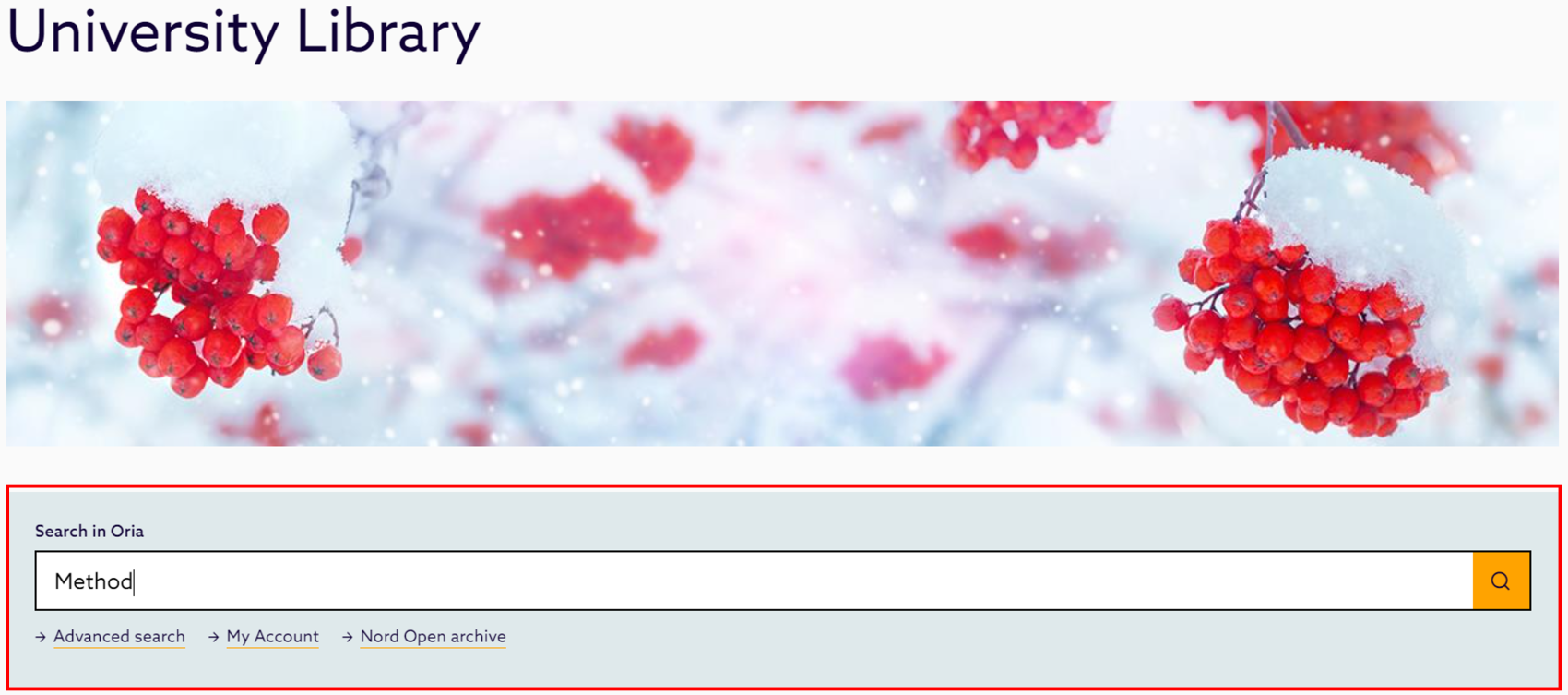
Option 2: Go directly to the Oria website and search for one or more subject headings.
Both options:
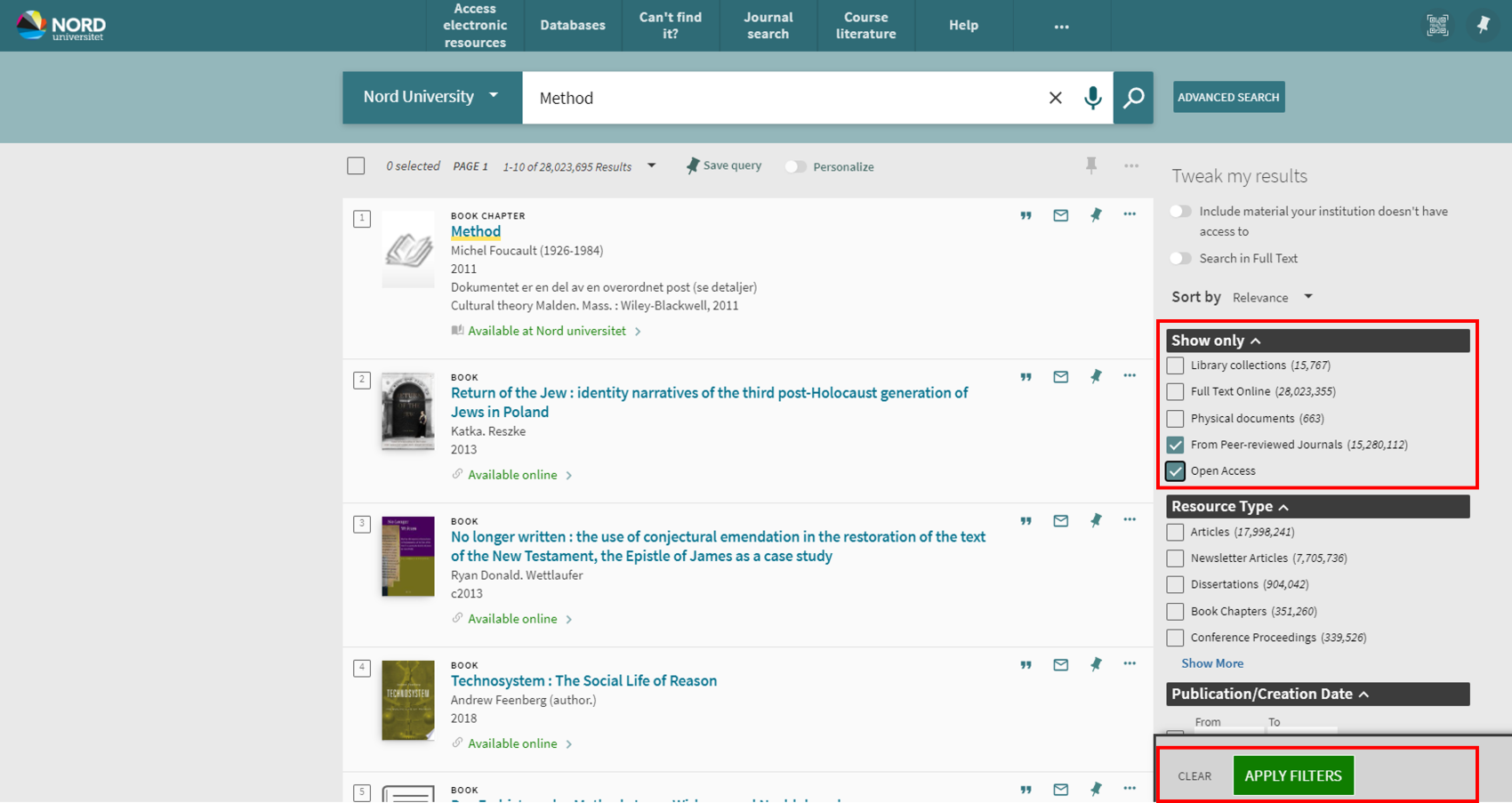
- In the right-hand margin you may adjust your results. Below the heading Show only you can tick off ‘From Peer-reviewed Journals’ (if you prefer) and ‘Open Access’. Then click ‘Apply filters’, which appears at the bottom of the margin.
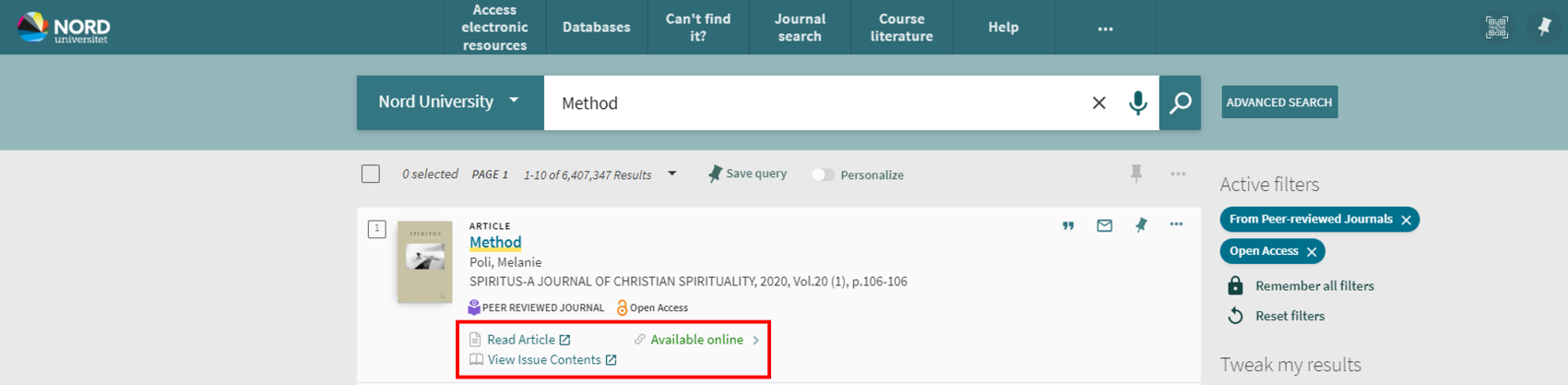
- You will now get a hit list limited to peer-reviewed Open Access journals. Click on either ‘Read Article’, View Issue Contents’ or ‘Available online’ to open the publication.
Contact information
University Library: ub@nord.no